우분투(ubuntu)에서 tesseract ocr 3.0 설치하기
기존 centos를 사용하다가 ubuntu로 서버환경을 바꾸면서 설치방식도 바뀌었을까싶어서 다시 정리하며 간략하게 방법위주로 풀어나가는 글임.
설치한 서버 : Ubuntu 16.04
1. 엔진 파일을 다운받는다
git clone https://github.com/tesseract-ocr/tesseract.git2. 필요한 라이브러리들을 설치한다.
sudo apt-get install libjpeg8-dev sudo apt-get install libtiff5-dev sudo apt-getinstall libpng12-dev
sudo apt-getinstall libjbig-devsudo apt-getinstall libgif-devsudo apt-getinstall gnuplot
sudo apt-get install autoconf automake libtool
sudo apt-get install autoconf-archive
sudo apt-get install pkg-config
sudo apt-get install zlib1g-dev
- tesseract training tool 을 설치할 예정이면 아래 라이브러리도 설치해야한다.
sudo apt-get install libicu-dev
sudo apt-get install libpango1.0-dev
sudo apt-get install libcairo2-dev
3. leptonica 설치
wget http://www.leptonica.com/source/leptonica-1.74.1.tar.gz

tar -xvf leptonica-1.74.1.tar.gz
leptonica 디렉토리로 이동을 하여 설치를 진행하자.
./configure
make

make check
위의 라이브러리들이 설치가 잘 되었을 경우 FAIL 없이 all test passed 메시지를 볼수있다.
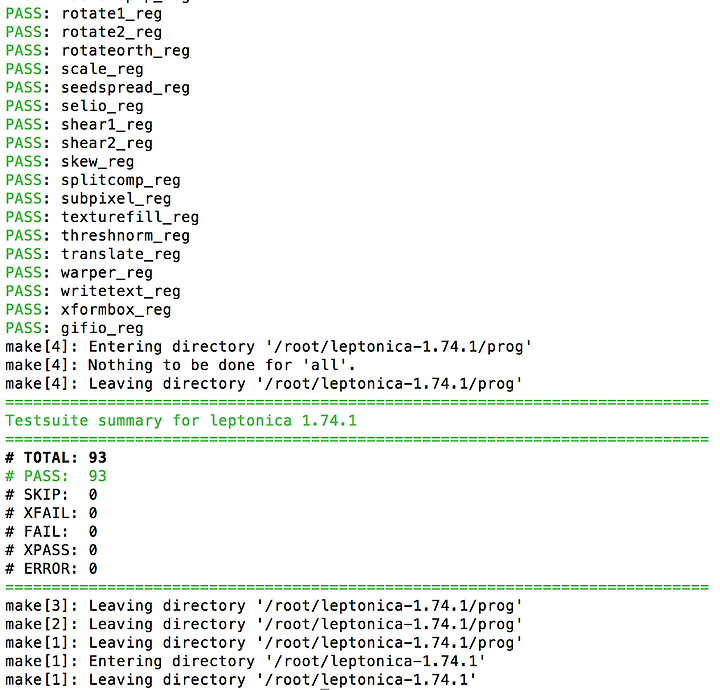
다음과 같이 FAIL 이 있을 경우 위의 라이브러리가 설치가 안되어있거나, leptonica 폴더 안에 파일들의 소유자 정보가 잘못되어있는 경우이다.
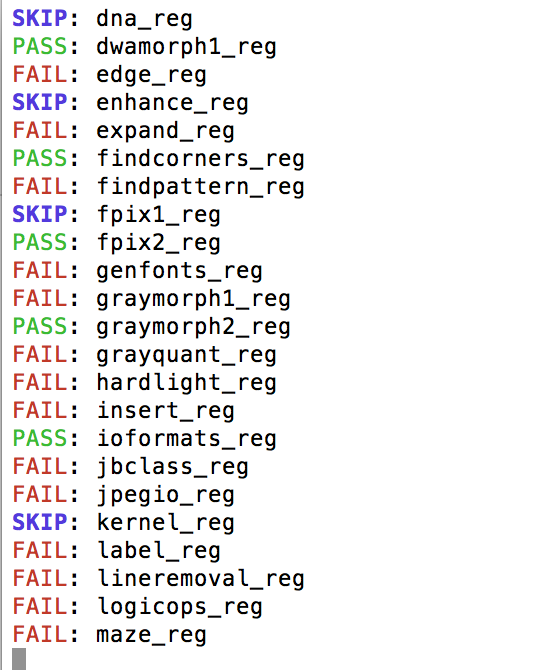
# chown -r root:root ./* 이렇게 소유자 정보를 변경하고 빌드를 다시 해본다.
./configure
make
make check
이상이 없는 경우 최종 설치를 진행한다.
sudo make install4. tesseract 설치
tesseract 를 받았던 폴더로 이동 후 다음 명령어를 실행한다.
( 필자는 언어데이터 파일을 tesseract 폴더가 아닌 다른곳으로 두기 위해 다음 과정을 선행 하였음 )
export TESSDATA_PREFIX=/usr/local/share/tessdata/.autogen.sh
./configure --enable-debug
LDFLAGS="-L/usr/local/lib" CFLAGS="-I/usr/local/include" make
sudo make install
sudo ldconfig
여기까지 잘 설치가 되었는지 확인해보자.

위와같이 버전과 라이브러리들이 잘 나타난다면 설치까지는 성공이다.
추가로 training tool을 설치하려면 tesseract 디렉토리안에서 다음 명령어를 실행한다.
make training
sudo make training-install